Wednesday, 27 February 2013

Zbrush Fibermesh Time- laps- teddy


Zbrush Fibermesh Time- laps- teddy- 01


Zbrush Fibermesh Time- laps- teddy- 02


Zbrush Fibermesh Time- laps- teddy- 03


Zbrush Fibermesh Time- laps- teddy- 04


Zbrush Fibermesh Time- laps- teddy- 05


Friday, 13 July 2012


Intro  Computer Learning Series

Sequence 01 from arsalanali on Vimeo.


Computer Basics 20 Downloading Movies


Computer Basics 21  Reading Newspaper


Computer Basics 22 Password Lagana


Computer Basics 22 Adhan software


Tuesday, 10 July 2012

zbrush introduction


zbrush introduction 07 tool pallet initialize


zbrush introduction 08 stroke pallet PART A


zbrush introduction 09 stroke pallet PART B


zbrush introduction 010 transform pallet


zbrush introduction 011 custom brush PART A


zbrush introduction 012 custom brush PART B


check out my other playlist on my youtube channel


Monday, 5 March 2012


vray proxies in maya part 01 (in hindi)


vray proxies in maya part 02 (in hindi)


                                       zbrush r2  comprehensive introduction 


hi , i have tried to share my knowledge of z brush  , this is only introduction of z brush tool palette , i plan to record more of it and and will try to cover all the wonderful features that  z brush has .


z brush introduction 01/6 ( in hindi )


z brush introduction 02/6 ( in hindi )


z brush introduction 03/6 ( in hindi )


z brush introduction 04/6 ( in hindi )


z brush introduction 05/6 ( in hindi )


z brush introduction 06/6 ( in hindi )


vray lights (in hindi)


vray lights 02  (in hindi)


vray material wrapper (in hindi)


vray material blend (in hindi )


       vray  in maya tutorials   (hindi )


Finding vray nodes in maya (in hindi) 


vray render setting (in hindi)


Saturday, 11 February 2012


Zbrush- Topogun- uvlayout- Maya


                                                    zbrush topogun uvlayout part 01

zbrush topogun uvlayout part 02

In this video we'll see how we can take a high poly mesh from z brush or any other sculpting program to topogun , where mesh can be retopologize , then to uv layout to lay u.vs for the mesh ,from there to maya where we'll merge and copy u.vs , and finally back to z brush with high poly details . 


Saturday, 10 December 2011


02 render ambient occlusion in z brush 


01 how to render wire frame in z brush |

Thursday, 24 November 2011


My first demo reel .. i am very nervous to post it on the web ,
my reel hope u  like it  :)


Sher khan 


First i was going  to  make the character  and  background according to the reference , but then  thought i should put my own creative  ideas into it , so i decided to make a night scene with wine bottles around him in his ship on a  nice blue moon night ,celebrating his victory .


For the final render i made 4-6 k textures depending upon the size of the object in the scene , i used v-ray as my render engine  , z brush and Photoshop for texture painting and Headus u.v layout for doing the u.vs


my main reference
artwork of a wonder full artist Deniszilber
link to his blog
http://deniszilber.blogspot.com/


Lighting Passes


Matt Passes


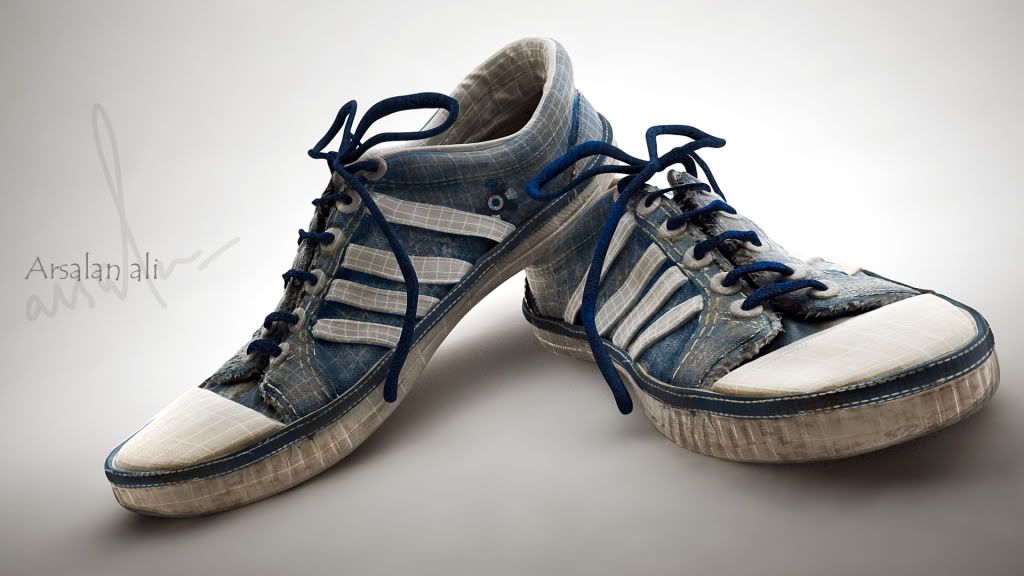
 canvas shoes

While putting the shoe in the shelf my  attention went to its small details , rich texture and  other things which could be worked on if it was made in 3d.
i learned several thing during the process like stamp creation  ,optimizing mesh subdivision


z brush document capture


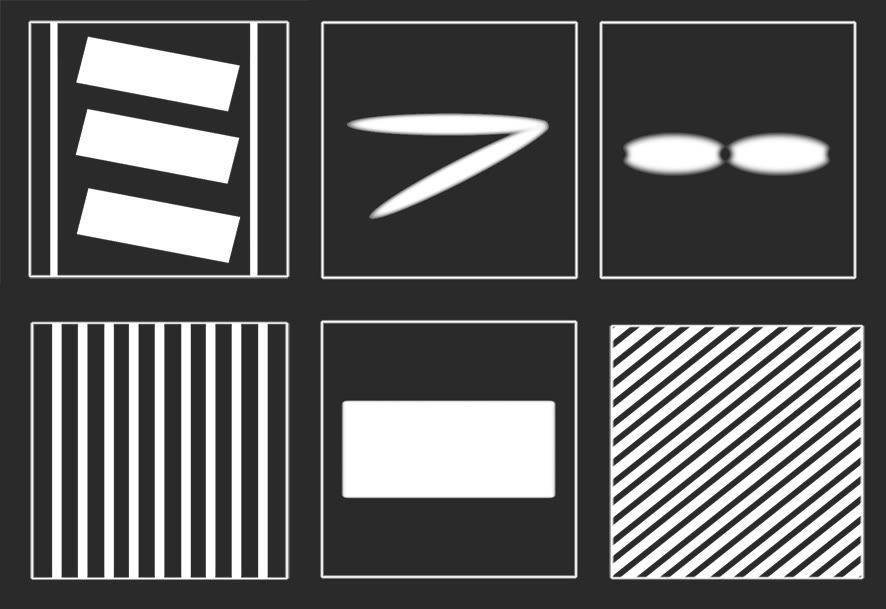
Custom alpha


Thursday, 2 June 2011

snoiiilighting


Dome lighting

the wonderful site http://www.evermotion.org/
this is one of those image which holds a special position in my heart

Bootstrap

I was just surfing the net when i saw that cg tantra was organizing a challenge to give tribute to ILM ( industrial lights and magic ) , for the wonderful work which they have done in past,  it was my first ever competition on any forum or site  i want able to win the competition but still the memories , and the experience which i got from there is  beyond explanation


Some of the wok in progress images


Maya view port .. it was a quite hi rez. mesh , as i  have decimated and exported many of the sub tools,  like a flesh piece which was hanging on his coat and ,


I majorly used z sphere for the creation of sea mesh as it is extremely very fast and non destructive way of visualizing how the mesh would look in the end and we can adjust the topology also :)


Add caption

Snail created using z brush


Plant mesh created using radial radial transformation option


Rotten flesh mesh decimated (Maya view port )


Stone mesh created using z sphere then  using noise deformation to put the details on


 render passes


Tender zen


Camp fire


rigging test


cloth simulation

cloth simulation